For restaurants and cafés in India
Guests order from the table. Your kitchen sees it at once.
Savora POS puts QR ordering, a live kitchen screen, billing and reports in one place. It runs in the browser on the phones, tablets and printers you already have.
- No app for guests to install
- CGST and SGST on every bill
- No special hardware to buy
- Data stored in India
How it works
From the table to the bill, without a paper ticket
- Step 1
Scan
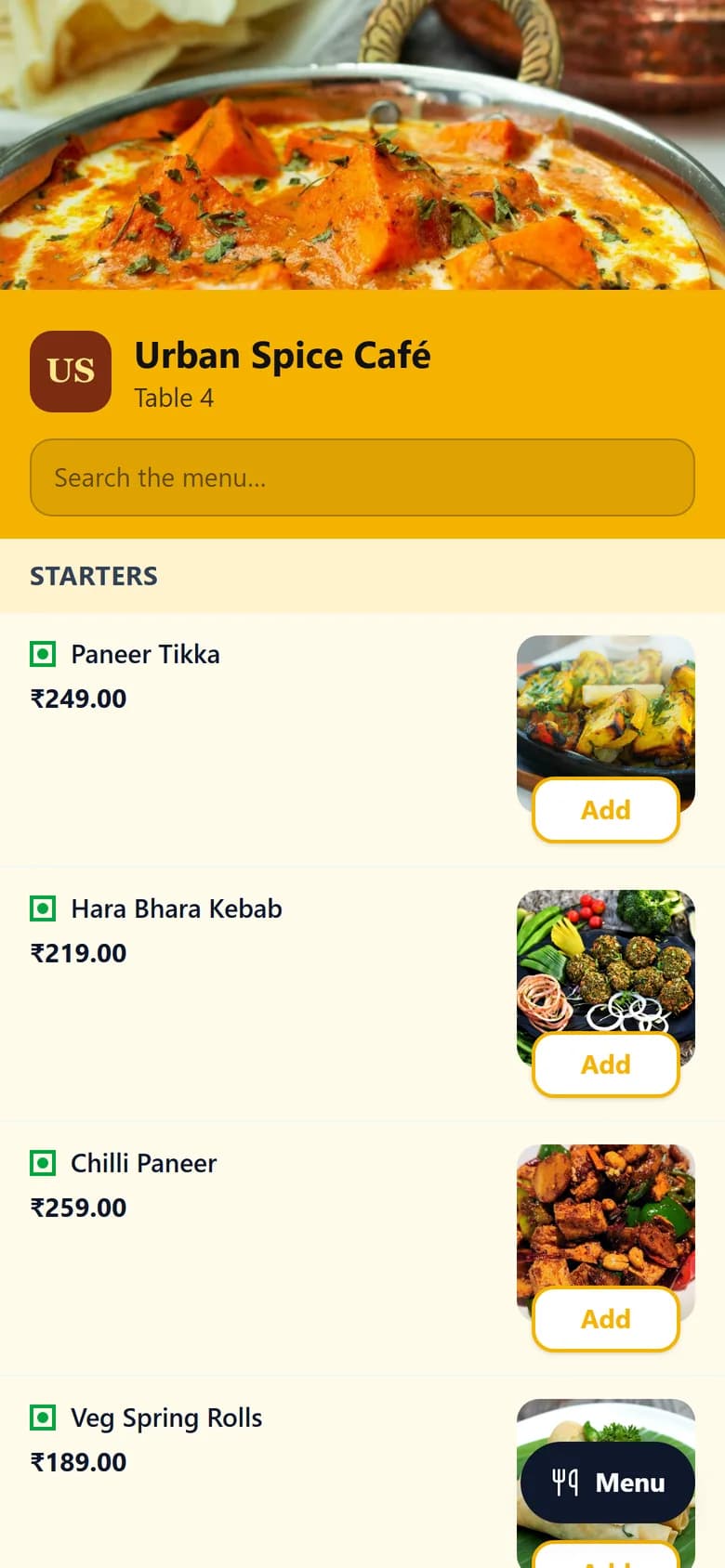
Every table has its own QR card. Guests scan it with their phone camera. There's no app to install and nothing to sign up for.
- Step 2
Order
They browse your menu with photos, add notes such as “less spicy”, and send the order from their table.
- Step 3
Cook
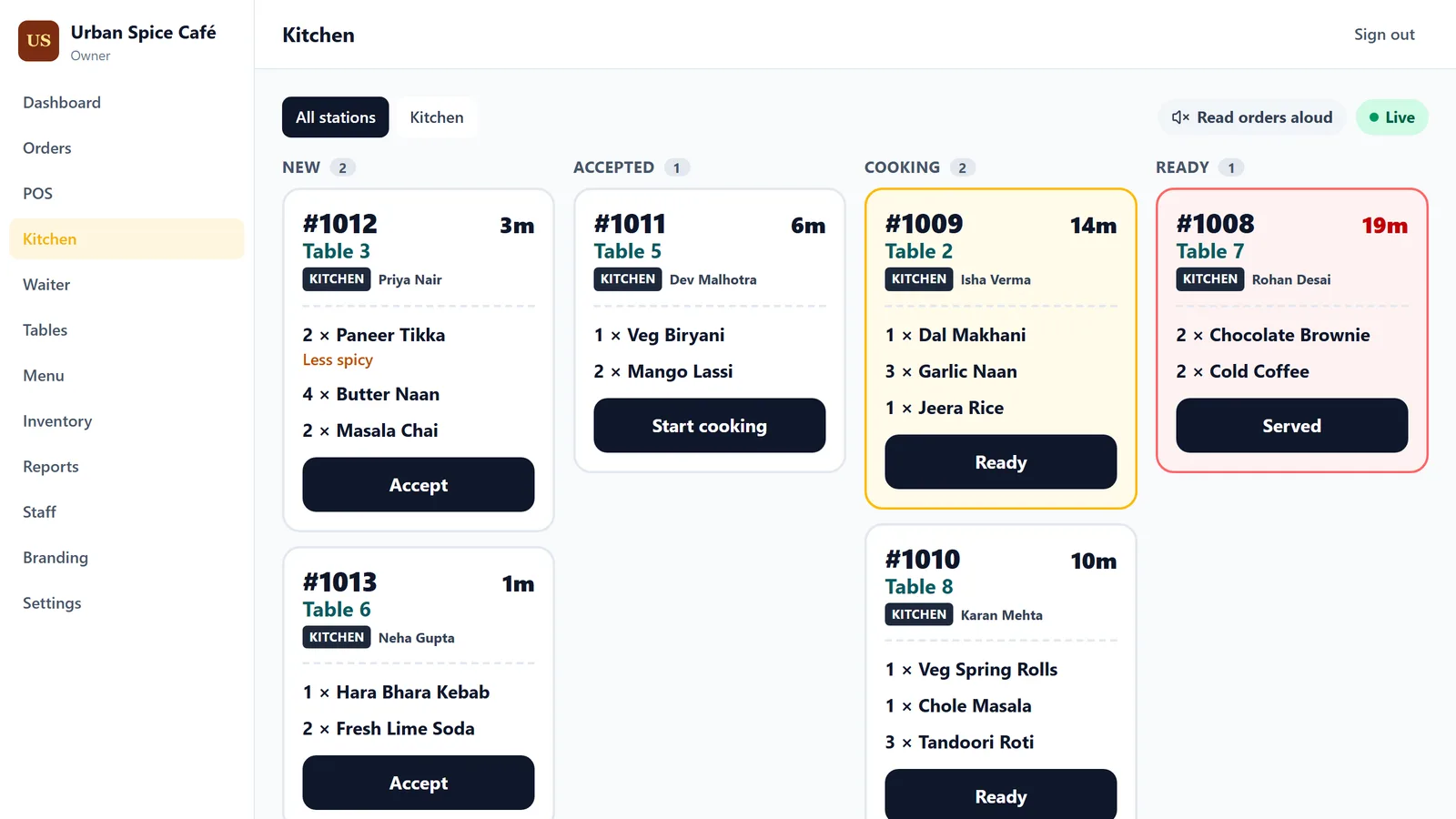
The ticket appears on the kitchen screen at once, and can be read aloud. Tickets change colour the longer they wait.
- Step 4
Bill
The counter raises the bill with CGST and SGST, records cash, UPI or card, and prints the receipt.
Features
Everything the restaurant runs on, in one system
One login per person, one menu, one set of numbers. Each restaurant gets its own colours and logo on the menu, the QR cards and the receipts.
QR ordering at the table
A menu with photos on every guest's phone, with a button that jumps straight to any category.
Live kitchen screen
Orders arrive the moment they're placed, sorted into new, cooking and ready.
Billing and receipts
Tax, service charge, discounts and round-off worked out for you. Receipts for 58 mm and 80 mm printers.
Waiter ordering
Waiters take orders on their phone at the table, and they go straight to the kitchen.
Tables and QR cards
See which tables are busy, move or merge them, and print a QR card for every table.
Menu and photos
Categories, add-ons and dish photos, kept up to date from one screen.
Stock and suppliers
Track ingredients, suppliers and purchase orders, with an alert when something runs low.
Reports
Sales, best sellers, payment methods, tax and discounts, for a day, a week or a month.
Staff and roles
Owner, manager, cashier, kitchen and waiter accounts, each seeing the screens their job needs.
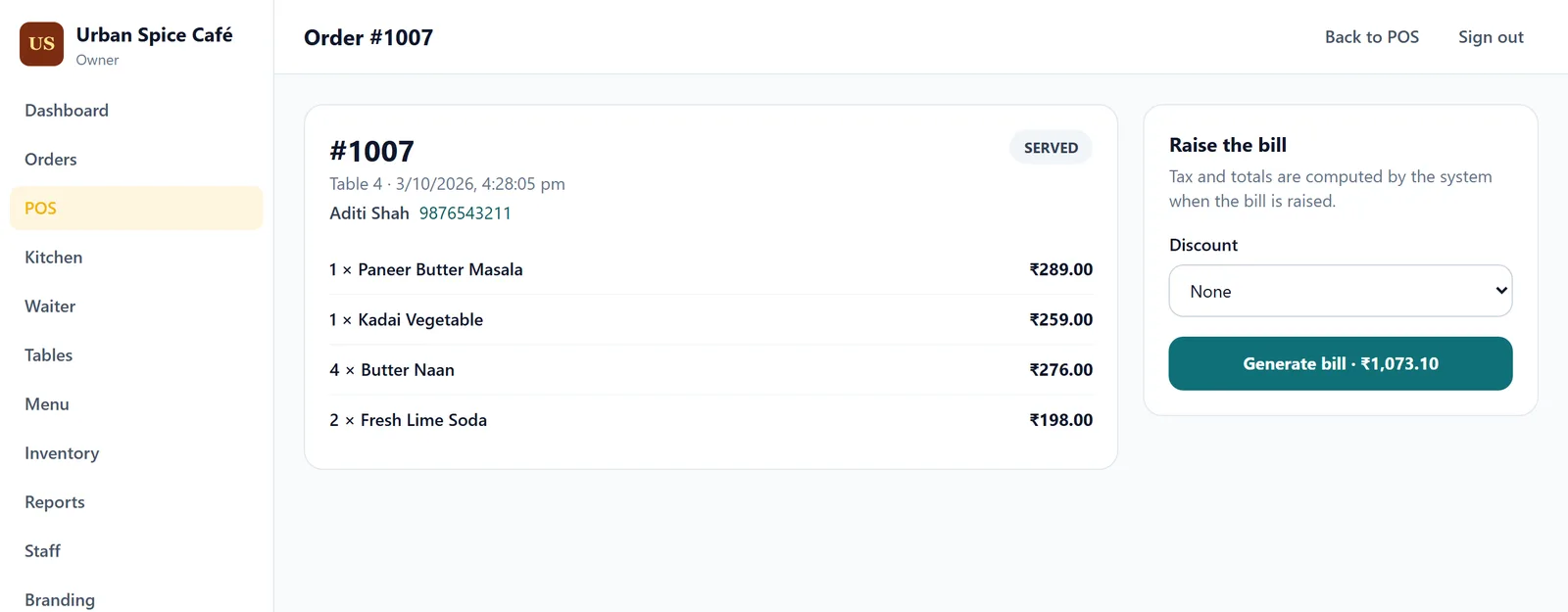
Billing
Bills that add up, every time
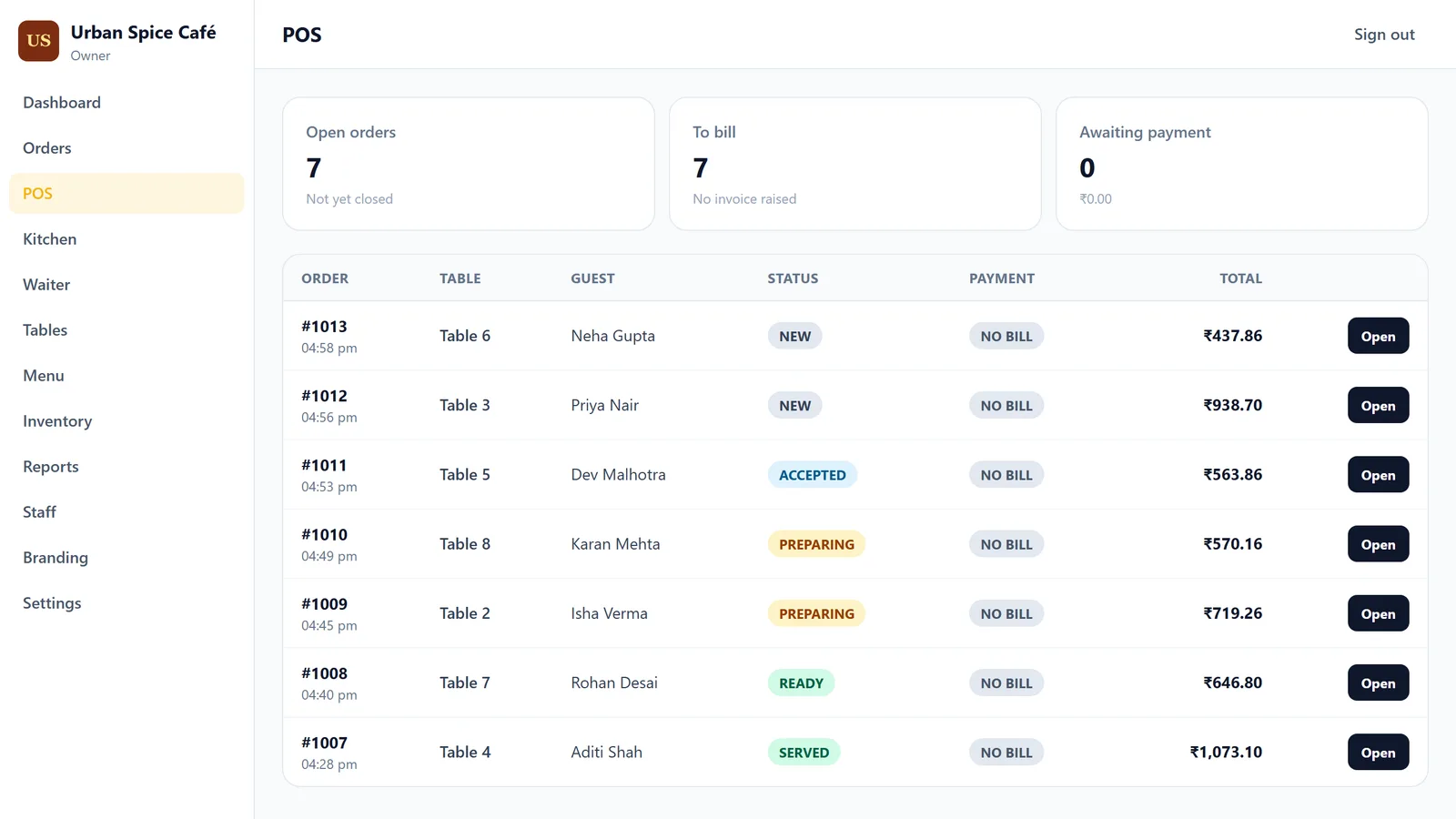
- Every open order on one screen, with what each table owes.
- Prices and tax are worked out by the system, not typed in, so a bill can't be miscalculated at the counter.
- Service charge, round-off and a limit on discounts, set by the owner.
- Cash, UPI and card recorded separately, with refunds when needed.
Reports
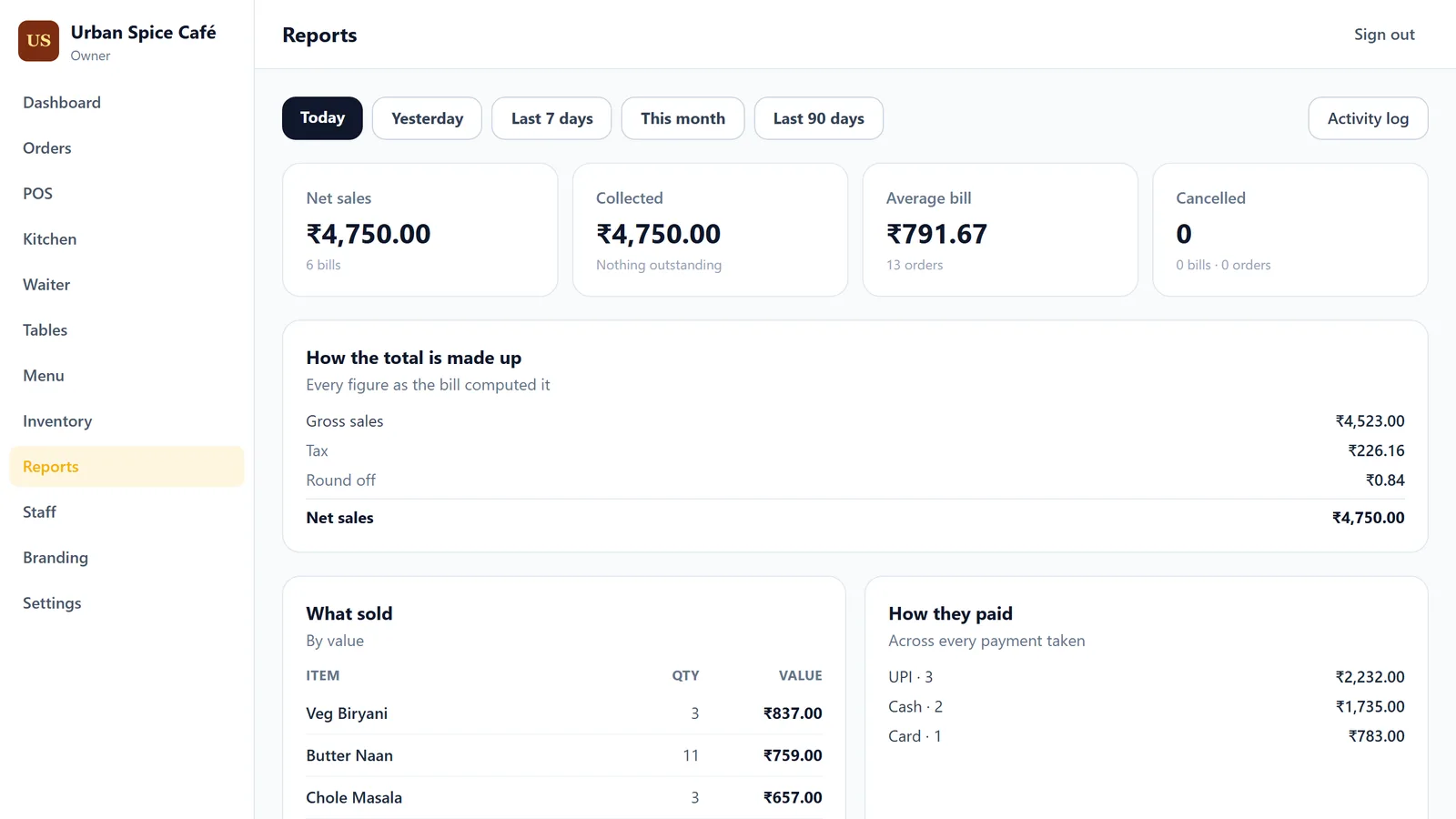
Know how the day went before you lock up
- Sales, tax and round-off, shown exactly as the bills worked them out.
- What sold best, and how guests paid.
- Today, yesterday, the last week, this month or the last 90 days.
- An activity log of who changed prices, staff or stock, and who cancelled a bill.
No new hardware
Works on what you already have
Savora POS runs in a web browser. There's nothing to install and no special machine to buy. It needs an internet connection.
Guests' own phones
For ordering from the table
A tablet or spare phone
As the kitchen screen
Any laptop or PC
At the counter, for billing
A receipt printer
58 mm or 80 mm thermal
Your data
Your restaurant's records stay yours
Kept separate
Each restaurant's data is walled off by rules in the database itself, not only hidden by the screens.
Stored in India
Your restaurant's data is stored in Mumbai.
Changes are recorded
An activity log shows who changed what, and when.
Access by role
Staff sign in with their own accounts and see only what their role allows.
Pricing
One simple monthly plan per restaurant
Every feature on this page is included. We're setting up our first restaurants now. Tell us about yours and we'll send you a price.
Ask for pricingSee Savora POS with your own menu
Write to us and we'll show you how your restaurant would look and run on it.